
The search bar at the top of aVenture has always found a company when you know its name. It now also answers the question you would ask a colleague: "AI infrastructure companies that raised a Series B."
Type that sentence into the same search bar, the one that reads "Search or describe what you're looking for," and aVenture reads it as a research request rather than a string of keywords. A language-model planner translates your description into the structured filters the platform actually runs on: entity type, funding round, headquarters, industry, and a semantic reading of what "AI infrastructure" means. The results come back grouped by kind: companies, products and services, investors, people, and news, with each section appearing when it has something to show.
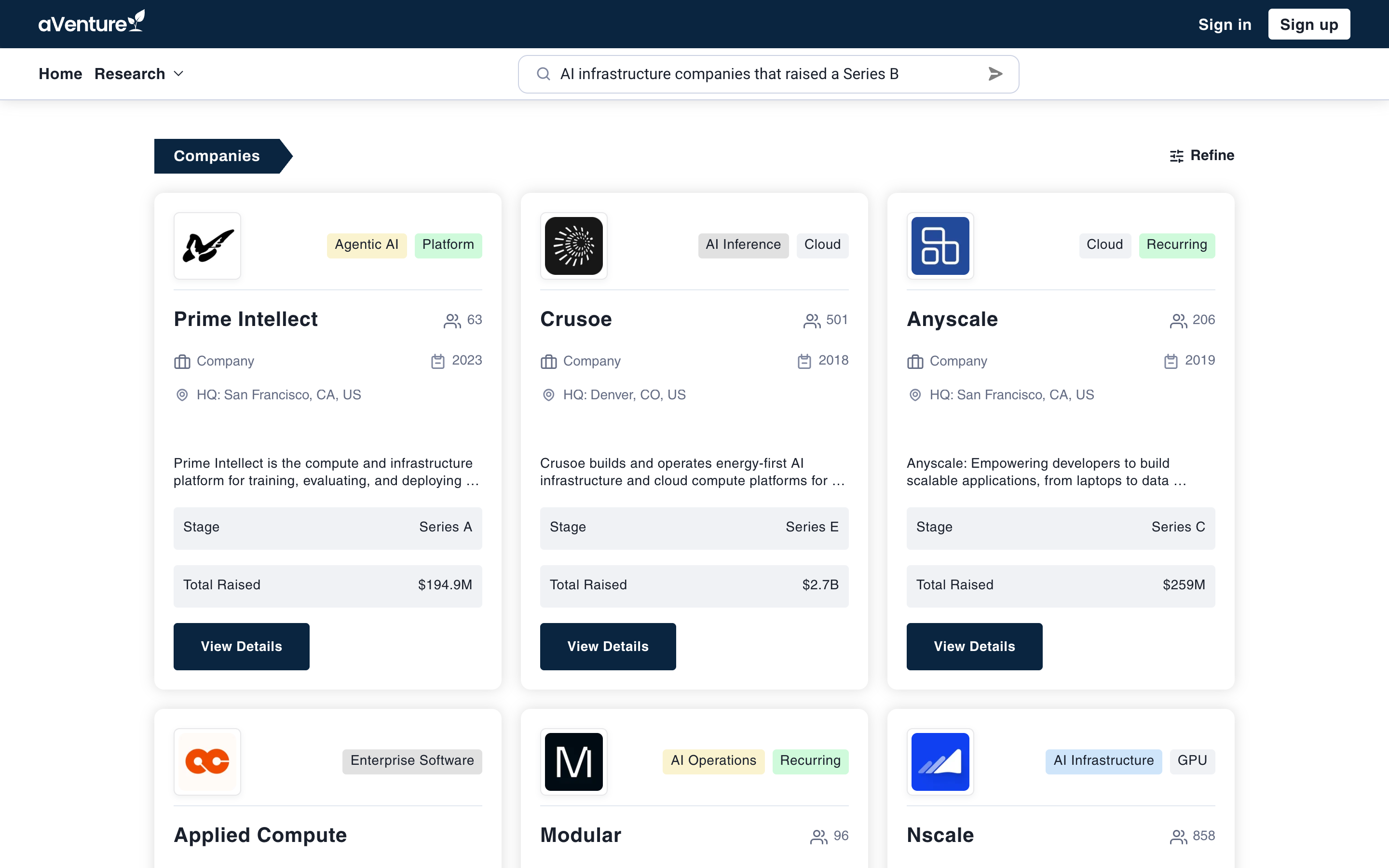
A plain-English question in, structured company results out: Series B AI infrastructure companies, ranked.
From a sentence to a structured filter
What the planner does with plain English is concrete, not mystical. Ask for "AI infrastructure companies that raised a Series B" and the search runs with the company type selected, the Series B round filter applied, and a semantic query that expands the idea of AI infrastructure beyond the literal words. That is why the matches are companies like Prime Intellect, Crusoe, and Anyscale, not pages that happen to contain the phrase.
Type a name instead and nothing changes: "Anthropic" still comes back as a direct company match. One bar handles both jobs, and you never pick a mode. aVenture decides how to execute each query, taking its fast name lookup when the query is a name and its planner when the query is a description.
It shows its reading, including what it dropped
A search system that interprets language owes you an explanation. When the planner can honor every part of a request, results simply appear. When it cannot, the page says so in plain language above the results: what it understood, and what it left out.
Ask for "fintech startups in Austin that raised a Series A and reply to cold emails quickly" and the page answers with: "Showing results for Financial technology startups headquartered in Austin that have raised a Series A round. Not applied: The request for startups that reply to cold emails quickly was ignored."
That second sentence matters more than the first. A constraint silently dropped is how research goes wrong; a dropped constraint stated out loud is a search you can judge. And when the planner's confidence in its own reading is low, the page shows a short preview of each section and keeps the complete result set one click away, instead of presenting a shaky interpretation as a finished answer.
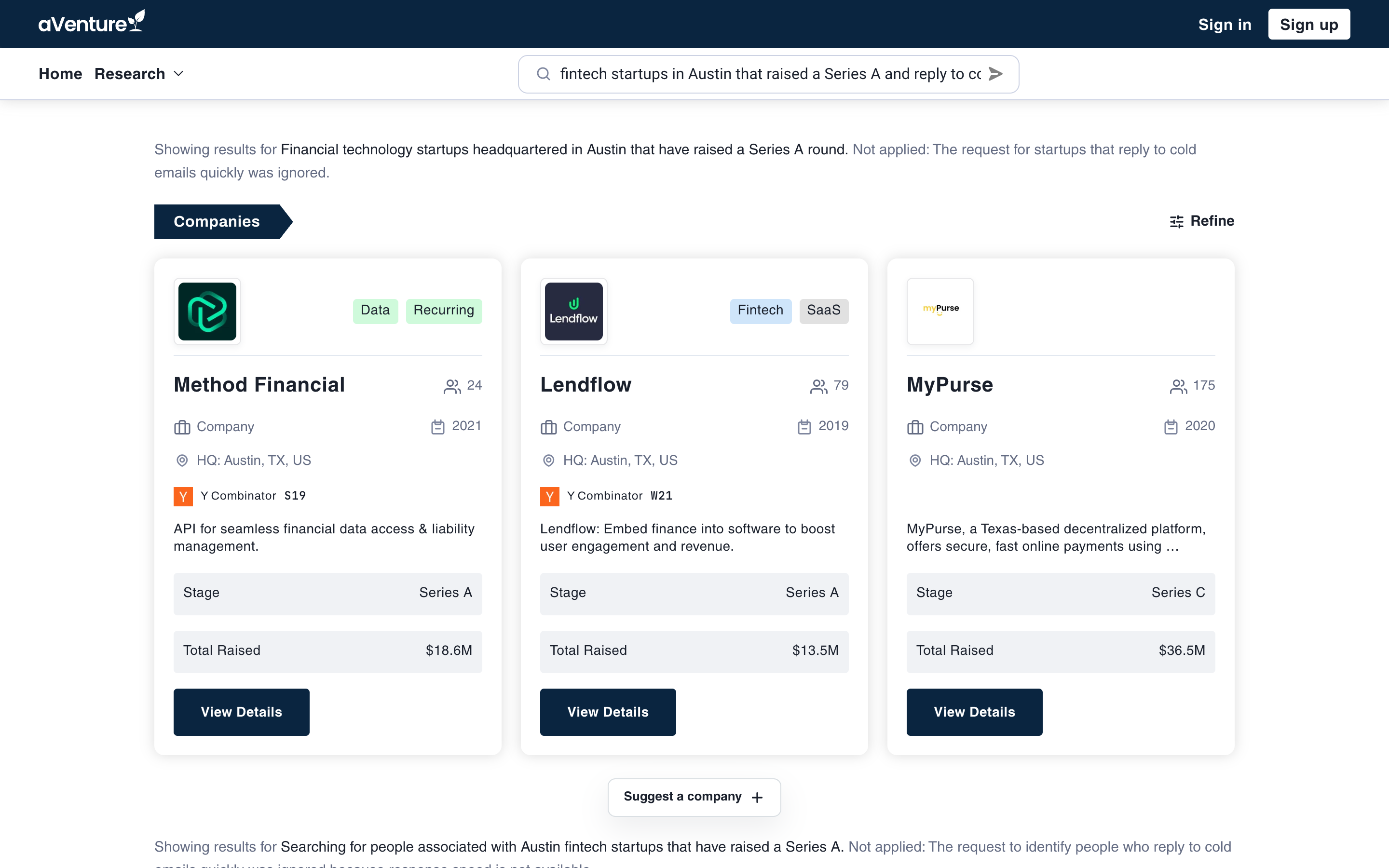
The interpretation note: what the search understood, and the part of the request it could not apply.
Refine turns the answer into a working list
Search results are a starting point, not the destination. Beside the Companies, Investors, and People sections sits a Refine link. For a plain-English query, Refine carries the planner's parsed filter with it: click it and you land in the Companies or People directory with those constraints already applied and the filter panel open.
From there the result set behaves like any other directory view. Paginate it, sort it, and adjust individual filters without retyping the question. The sentence got you to the right list; the directory lets you work it.
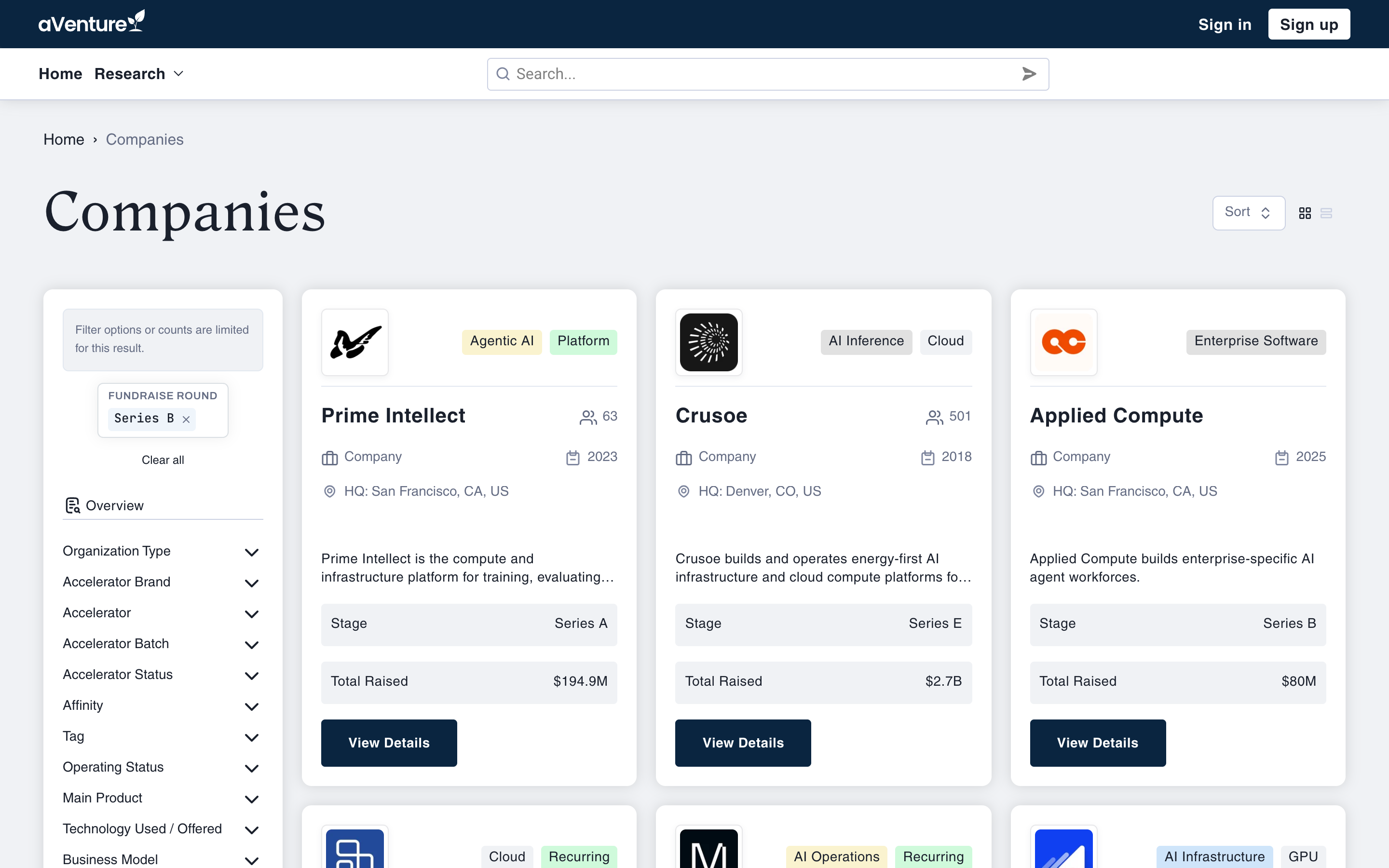
Refine hands the parsed filter to the Companies directory: full results, panel open, ready to sort and adjust.
AI search is live today for everyone, no sign-in required. Try it from the search bar on any page, or go straight to aventure.vc/search and ask your next research question the way you would say it out loud.