

A profile you are reading says a company has 40 employees, and you know it has 400. A founder changed jobs last month. A startup you care about has a thin record because nobody has looked at it closely yet. Until now, the fix was to tell us and wait.
Research updates let you fix it yourself. On AI Plus and AI Pro, one click sends AI agents to re-research the whole record now. They search the web, check what you flagged, and update the profile you were reading.
Update this record, from any profile
Company and person profiles on aVenture have an Update this record button next to Share. It opens one sheet with two questions.
What should we check? Tell the agents what looks wrong or missing: an employee count, a headquarters, a fund size, or a link to a page with the right value. You can leave it blank to refresh the whole record.
How should we update it? Pick one of two paths:
- Research it now. AI agents re-research the whole record right away. This path is included with AI Plus and AI Pro.
- Request a specific fix. Free, and no account is needed. Our team changes only what you name, so it takes longer. Use it to correct an error with a link that shows the right value, or to ask us to remove details that are not public anywhere else.
After you submit a research run, the sheet confirms it and we notify you when it finishes. Records you have sent for research appear in your Recently Enriched list, so you can open the updated profile when it is ready.
The same sheet is in the aVenture Research iOS app, on company and person records.
What a run does
A research run covers the whole record. The agents search news and company pages across the web, check the detail you flagged against them, and update the parts of the profile those pages support. The data they write provides source link references, like the rest of aVenture data.
If a run for the same record is already queued or running, a new request joins that run instead of starting a second one. You are not charged twice.
What it costs
| Plan | Company research included each month | Person research included each month |
|---|---|---|
| Essential (free) | 0 | 0 |
| AI Plus | 30 | 30 |
| AI Pro | 270 | 270 |
Each run uses one company or one person research from your monthly allowance. Allowances reset at the start of each calendar month (UTC).
Past the allowance, runs continue only if you turn on additional usage, at $2.50 per company and $0.65 per person. Without additional usage, Research it now is unavailable until the allowance resets, and Request a specific fix stays free. The pricing page lists the plans.
Research many records from the API, CLI, or MCP
The same runs are available to code and AI agents. The Update Records With Research guide in the aVenture docs covers each call.
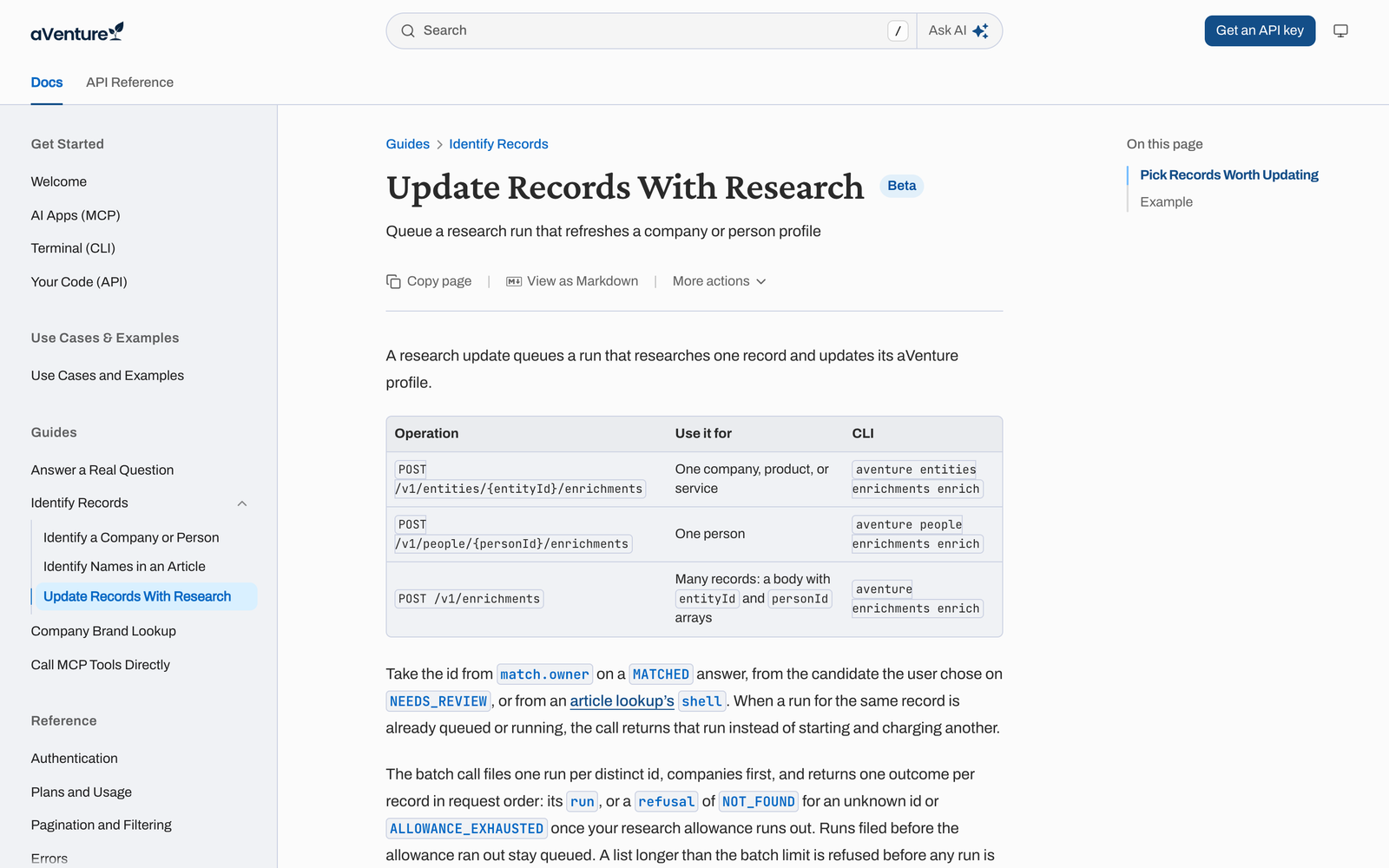
| You want to update | API | CLI |
|---|---|---|
| One company, product, or service | POST /v1/entities/{entityId}/enrichments |
aventure entities enrichments enrich |
| One person | POST /v1/people/{personId}/enrichments |
aventure people enrichments enrich |
| Many companies and people at once | POST /v1/enrichments |
aventure enrichments enrich |
The batch call takes arrays of company and person ids and returns one outcome per record, in the order you sent them. A record the allowance cannot cover comes back as ALLOWANCE_EXHAUSTED, and runs filed before that point stay queued. Check any run with GET /v1/harness/runs/{runId}. Its status moves from queued to running to completed, then you read the updated profile.
aventure enrichments enrich --entity-id "$ENTITY_ID" --person-id "$PERSON_ID"
aventure harness runs get --run-id "$RUN_ID"
Through the MCP server, an assistant such as Claude or ChatGPT can start the same runs for you when you ask it to update a record.
Send stale or thin records for research
Lookup results carry two fields that show how current a record is:
dataCompletionCoverage: for companies, the share of required profile facts the record holds, from 0 to 100.updatedAt: when the record last changed.
A low coverage score or an old updatedAt marks a record that a research update is likely to improve. A company near 100 that changed recently rarely needs one. That makes a simple pipeline: resolve your list with Lookup, keep the stale or thin records, and send only those to POST /v1/enrichments.
Try it
Open any company or person profile and choose Update this record. If you are on the free plan, Request a specific fix works today, and AI Plus adds 30 company and 30 person research runs each month.
