
Private-company research can mean spending more time gathering background than assessing the business. Give the aVenture research agent your question and let it search company pages and press coverage. You get a structured, editable draft with source links, so you can focus on checking the evidence and asking better follow-up questions.
The aVenture Research Agent: Ask a Question, Get a Structured Answer
Ask the AI research agent a plain-English question and get an editable draft with funding and competitors.
3 min read
Ask the question you would give an analyst
A research thread in the macOS app starts with a single sentence. "Research Anthropic: products, funding, and competitive landscape" is the kind of request you would give a junior analyst, and the agent needs nothing more.
Once it starts, the thread lists each page as the agent reads it, such as the company's own site, its Wikipedia entry, its LinkedIn page, and current press coverage. The agent reads before it writes any of the answer, and you can stop it at any point.
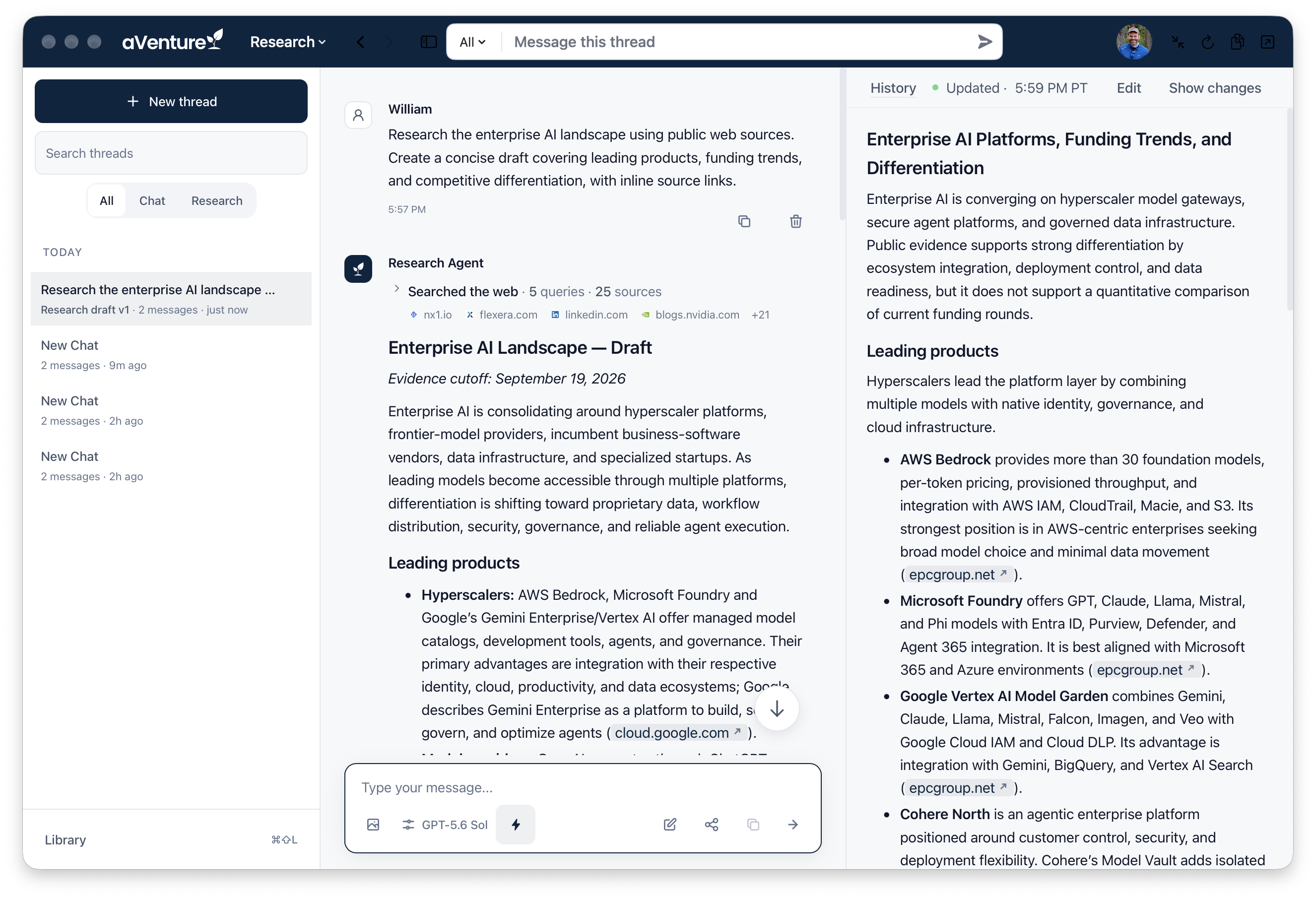
Start reviewing enterprise AI findings instead of assembling the first research draft by hand.
The finished answer is a document with a company summary, the product lineup, the funding history, and a list of competitors compared by their numbers. Beside it, a related-company card shows the company's stage and products, and one click opens the full aVenture profile from the same thread.
Edit the draft, keep the thread
Each figure in the draft, whether the valuation, the revenue run-rate, or the market-share comparison, provides source link references, and clicking a figure opens the page it came from.
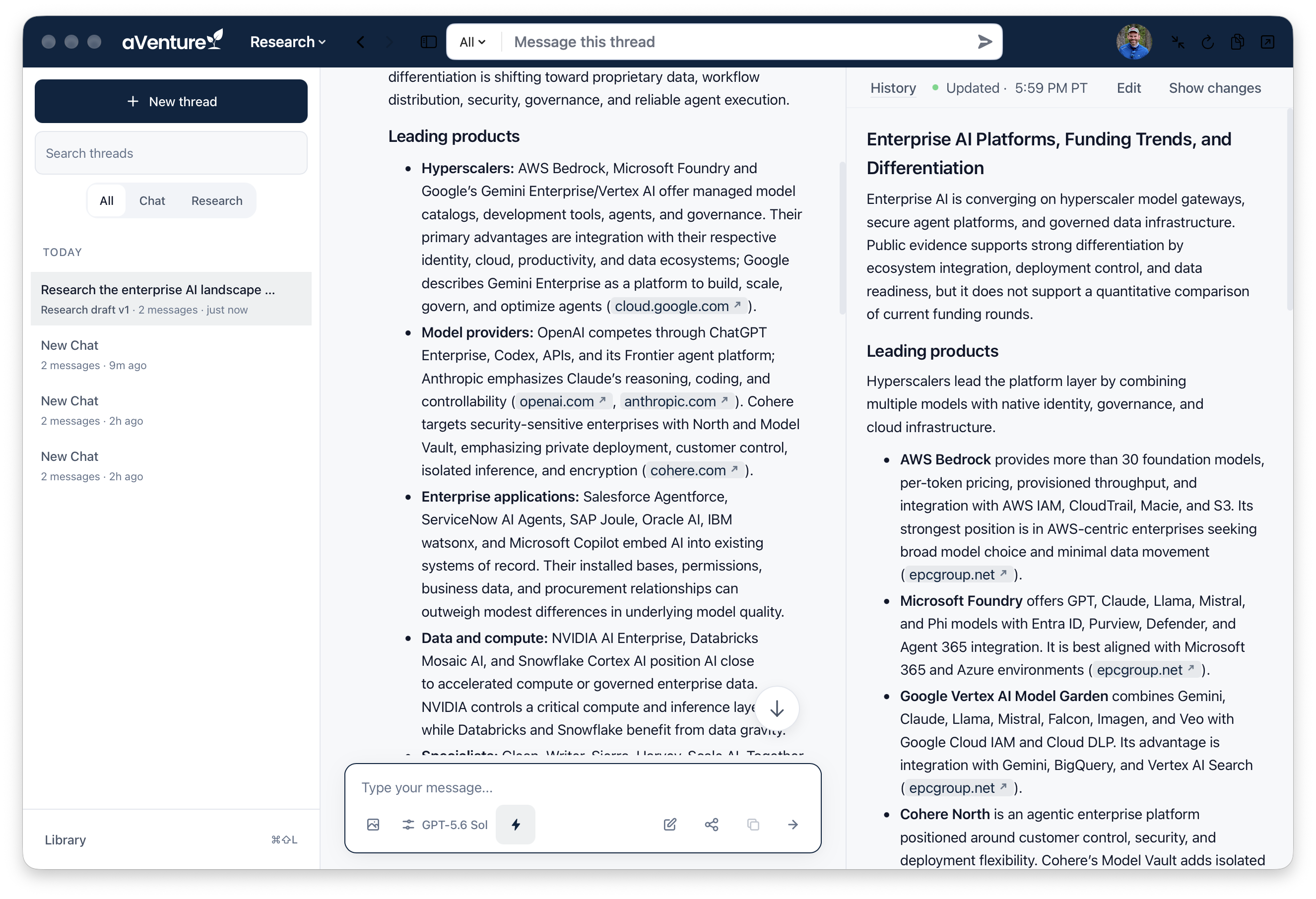
Shape the enterprise AI draft around your decision, keeping the findings you need and editing the rest.
You can edit the draft in place, and Show changes displays the revision history. Threads are saved, so you can add a follow-up to a question you asked last month.
The same agent powers the web platform
The web platform uses the same agent. The search bar in the aventure.vc header says "Search or describe what you're looking for." It takes a question as well as a name. The results page groups matches into Companies, Products & Services, and Investors. If part of a question cannot be applied, the page shows how it read your request and which part it skipped.
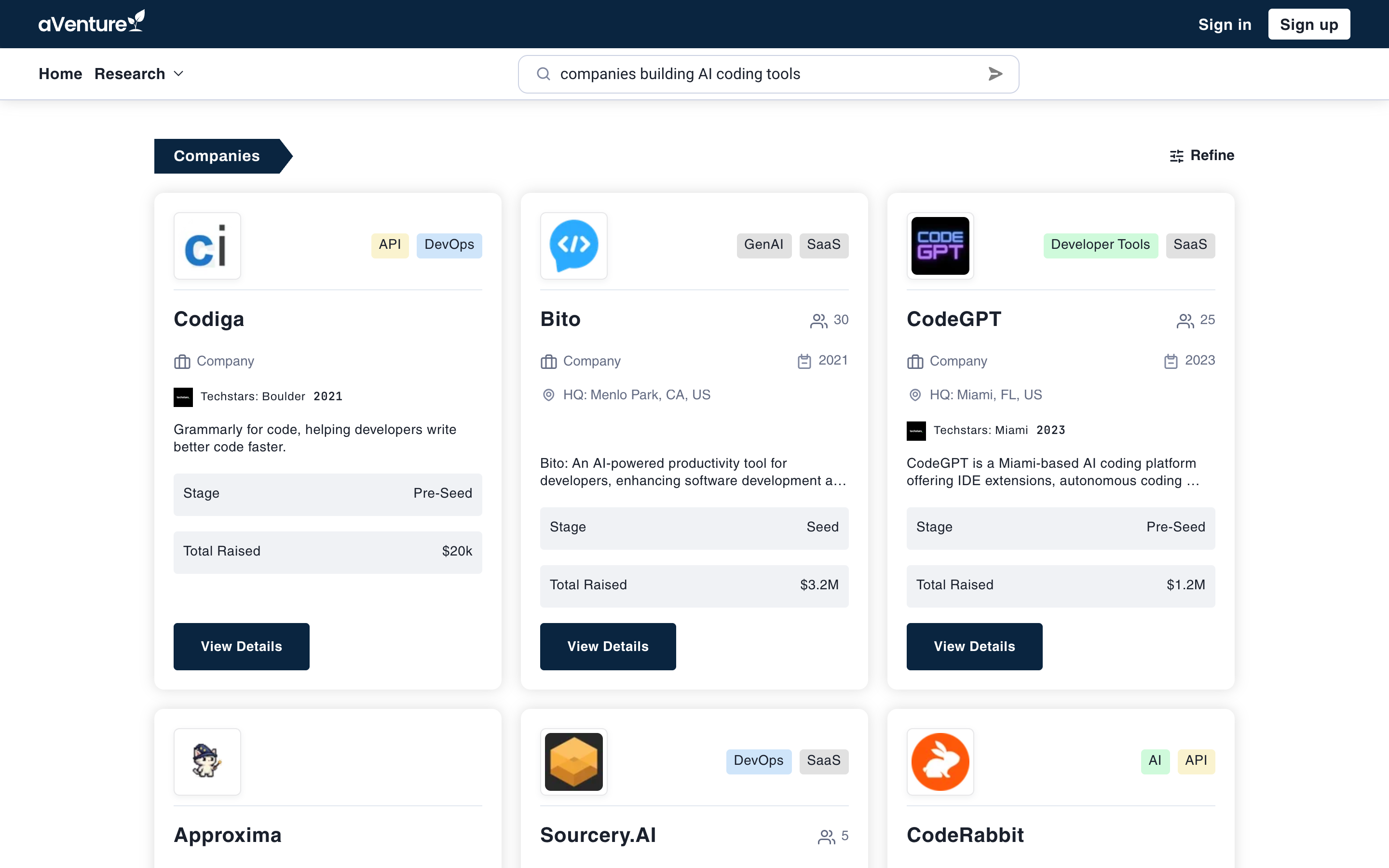
Find companies and products from your research question without translating it into a string of keywords.
If a company is not on aVenture yet, the agent can still research it. Submit the company's web address, and our research agents and team will build its profile. The steps are in our coverage request post. The agent saves its research to the same place the company profiles are built from, so the app and the website show the same data. Agent-Powered Research explains how that research is built.
Start a research thread
Run a search at aventure.vc/search, or download aVenture Research from the Mac App Store, sign in, and start a thread. Accounts start free at aventure.vc/sign-up. The iPhone and iPad betas are linked alongside the Mac app on Download the aVenture app.