
Every research pass surfaces more interesting companies than anyone can hold in their head. The usual answers decay fast: a spreadsheet nobody updates, a row of browser tabs, a note that says "look at these again." Saved lists give that instinct a permanent home inside aVenture.
Saved lists are live now for every signed-in account. You can save a company while reading its profile, or select dozens at once from the companies directory, and every list you create is managed from a single page.
Save a company from its profile
Open any company profile while signed in and the icon row under the company header gains a folder button, sitting beside the company's external links. Click it and the "Save to a list" panel opens: a centered dialog on desktop, a bottom sheet on phones.
The panel lists every list you own as a checkbox row, with each list's current company count underneath its name. A checked box means the company is already a member. Toggling a box saves the change immediately, with no separate submit step, so adding a company to three lists is three clicks. To start something new, type a name into "New list name" and choose "Create and add": the list is created and the company lands in it in one action.
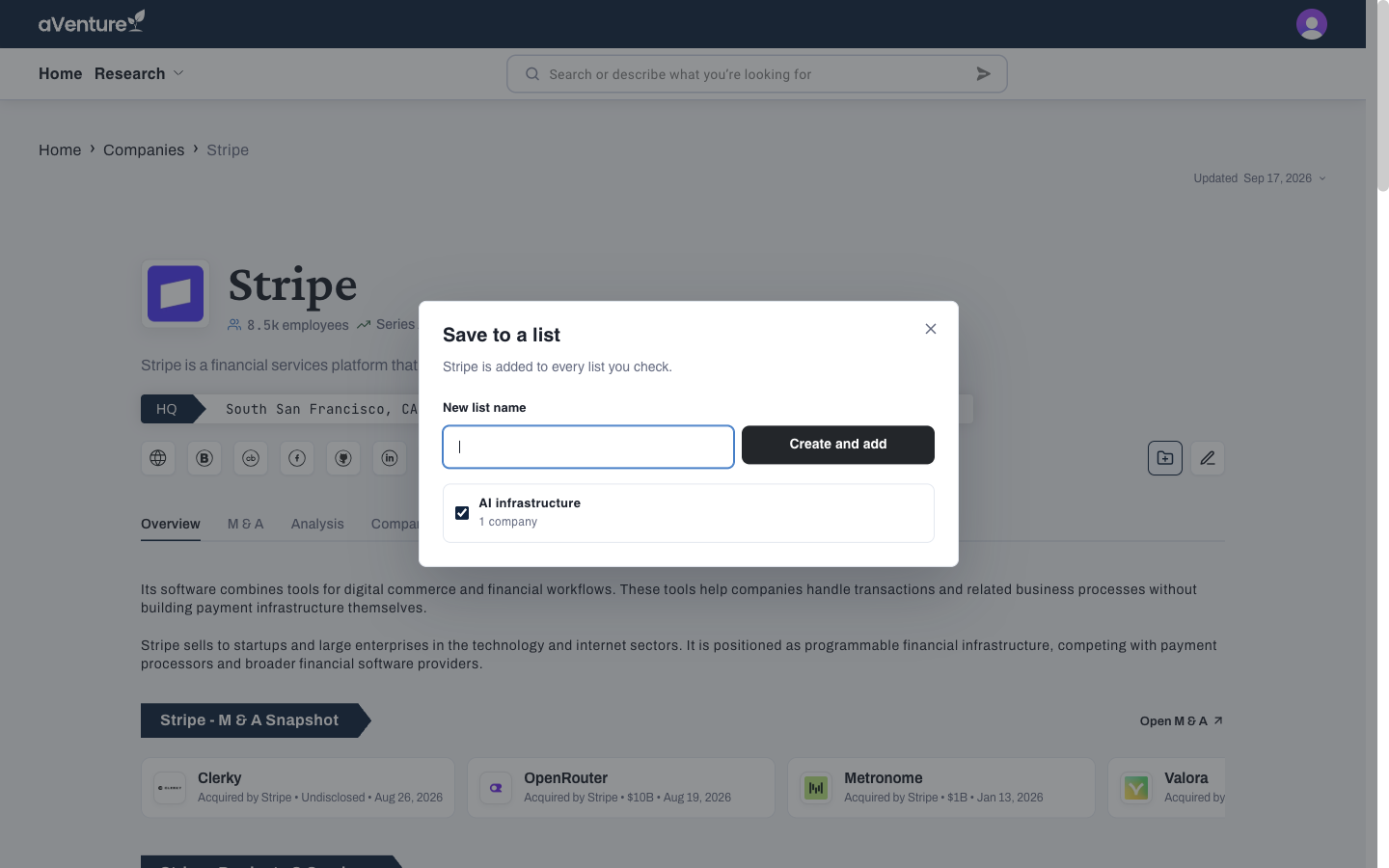
Saving Stripe from its profile: existing lists appear as checkboxes, and a new list can be created inline.
Build a list in bulk from the companies directory
Saving one company at a time is the right speed when a profile earns it. Screening is different: you work through a filtered directory and the interesting set is dozens of rows.
On the companies directory, signed-in users get a Select checkbox on every card and table row, plus a select-all checkbox in the table header. Check the companies that survived your screen, then open the Lists control in the directory toolbar. The panel states the rule plainly: the selected companies are added to every list you check. Your lists appear as checkbox rows that save immediately, and its own new-list field turns the current selection into a named list in one step. A filtered view of a sector or stage becomes a saved cohort without leaving the page, and a single add can carry up to 200 companies.
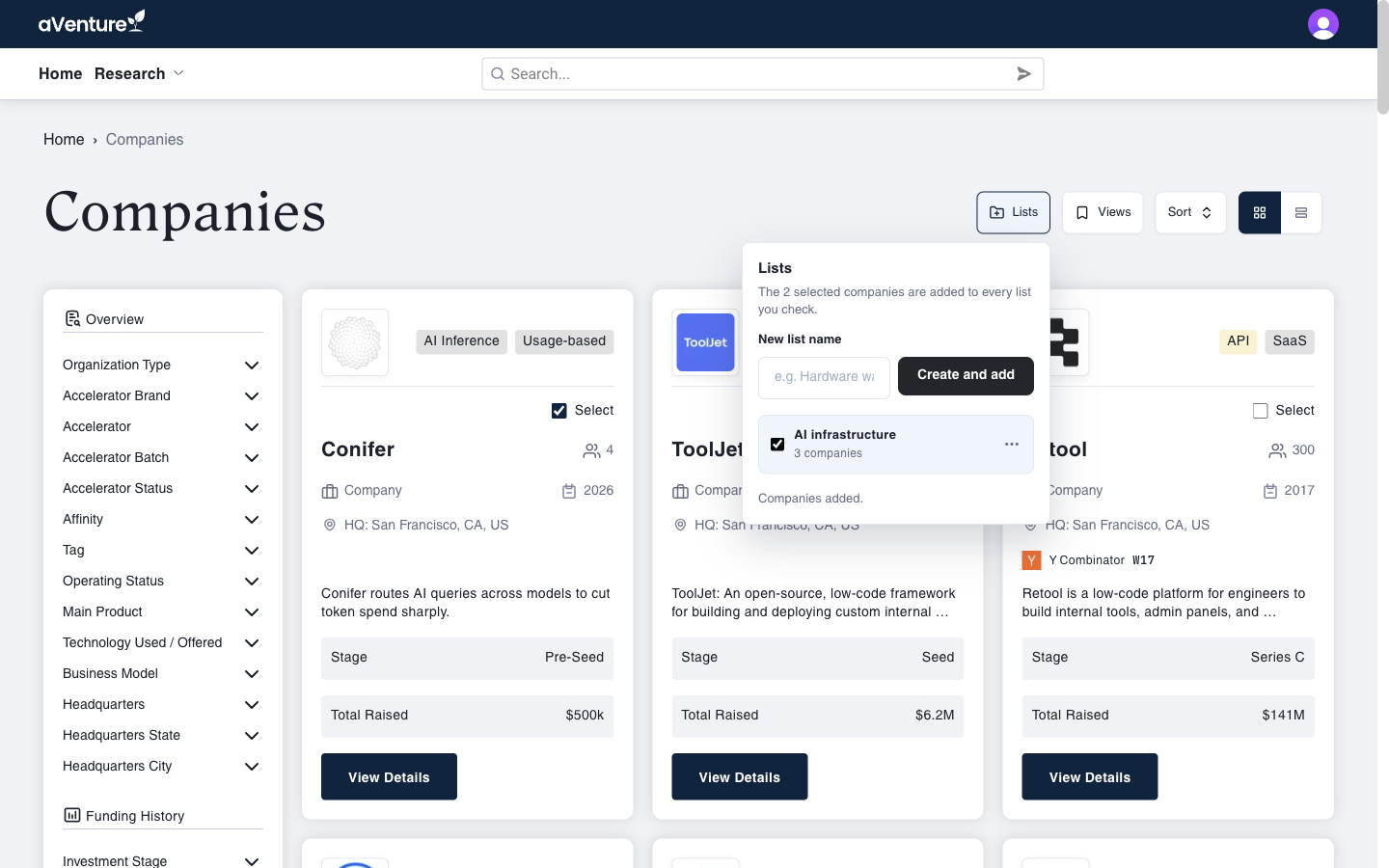
Bulk saving on /companies: select rows, open Lists, and add the whole selection to a list.
Manage everything at /saved-lists
The account menu, behind your avatar in the header, now includes Saved lists. The index page shows every list with its company count, a field for creating a new one, an inline rename, and a delete that asks for confirmation before it removes anything.
Open a list and its members render as the same company cards used across the directory, paged when the list outgrows one screen. From the list page you can select members and remove them, rename or delete the list, or follow "Add companies" back to the directory to keep building it.
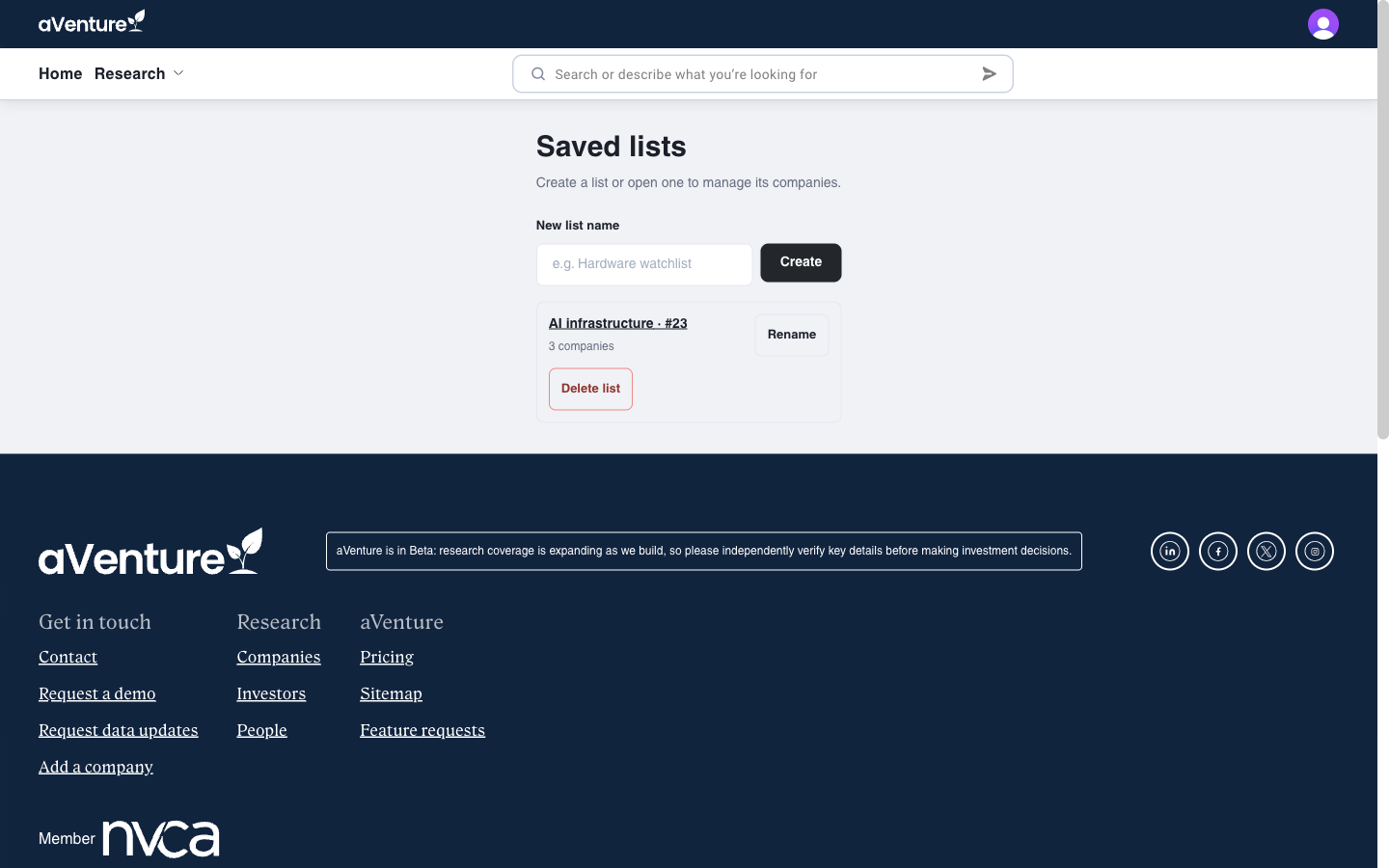
Every list in one place at /saved-lists: counts, rename, delete, and a create field.
Start a list
Saved lists are live today for signed-in accounts. Sign in, open any company profile, and click the folder icon, or go straight to aventure.vc/saved-lists and create your first list. If you are new to aVenture, you can create an account at aventure.vc/sign-up and start a list from your first search.