

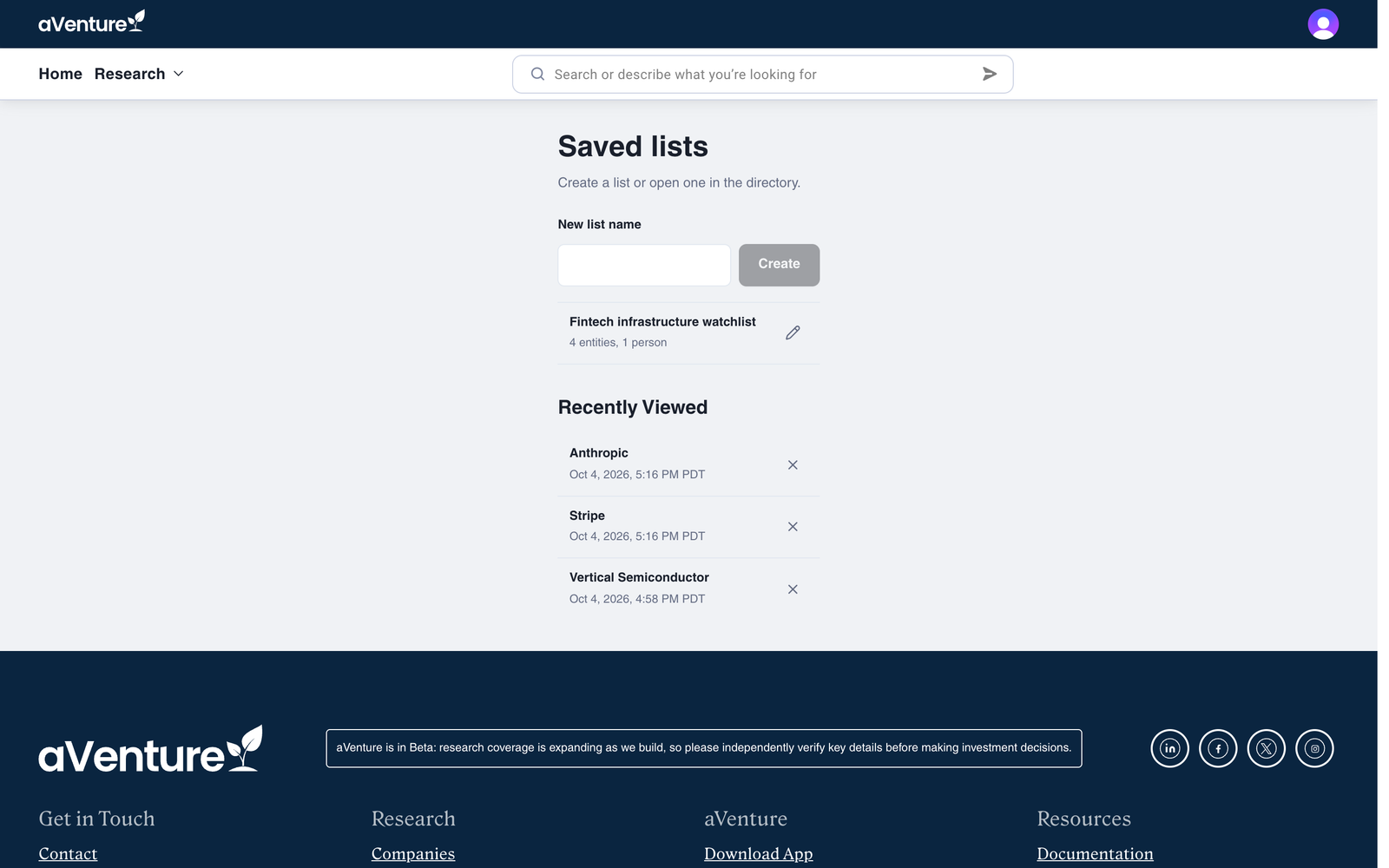
Saved lists and saved views launched for companies in September. They now work across the whole research graph: companies, investors, and people. They also moved out of side panels and into tabs at the top of each directory, next to a new Recently viewed tab, and the Saved lists page adds two lists aVenture keeps for you: Recently Viewed and Recently Enriched.
Tabs on every directory
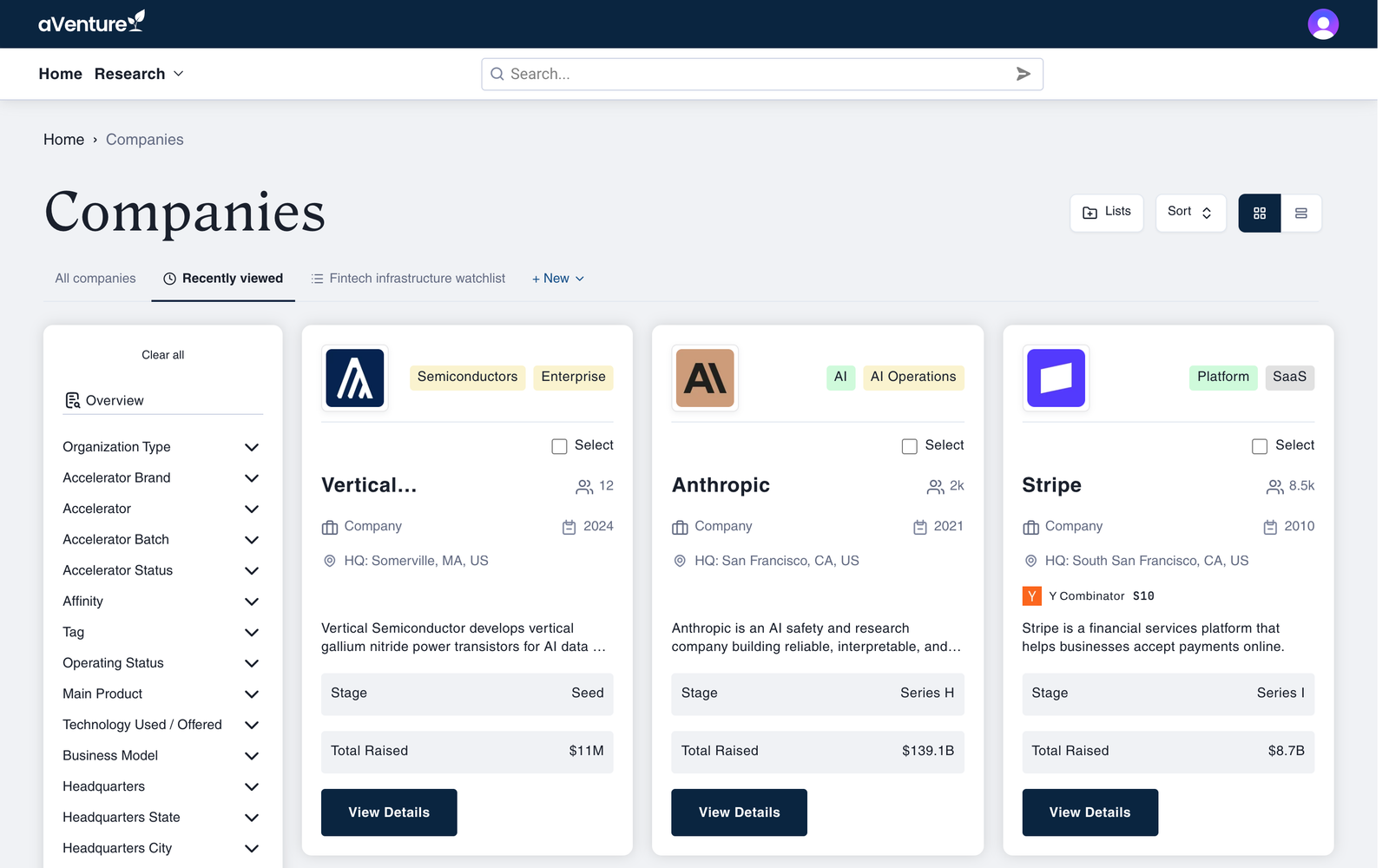
The companies, investors, and people directories now open with a row of tabs:
- All companies, All investors, or All people: the full directory with whatever filters you set.
- Recently viewed: the records of that type you opened most recently.
- Your saved views, marked with a filter icon.
- Your saved lists, marked with a list icon.
- + New, with New view and New list.
Switching tabs swaps the results in place, so moving between a watchlist, a saved market cut, and your recent reading is one click each.
Lists hold companies, investors, and people
A list is no longer just a company shortlist. Save a founder, a partner at a fund, and the companies they back to the same list. Every company and person profile has a save button in its icon row, and the companies and people directories let you select several cards and choose Add to List in one step.
When a list holds both companies and people, its tab on the companies directory shows the companies, and a link takes you to the same list on the people directory.
The Saved lists page is where you create a list, see what each one holds, and rename it.
Views remember a whole query
A saved view keeps a directory's filters, sorting, and, on the companies directory, your column choices. Views now work on the investors and people directories too, each in its own directory.
To create one, set up the directory the way you want it and choose + New, then New view. When you change the filters of a view you have open, the tab shows Unsaved changes with Save and Reset, so you can update the view or go back to it. Rename and delete live in the view's More actions menu.
Recently Viewed and Recently Enriched
aVenture now keeps two lists for you automatically when you are signed in:
- Recently Viewed has the last 50 companies, investors, and people you opened, most recent first. Opening a record again moves it back to the top, and you can remove any entry. It appears as a tab on each directory, on the Saved lists page, and in your account menu.
- Recently Enriched has the records you sent for a research update, so you can come back when the new research is in. It appears on the Saved lists page once you have requested one.
The same workspace on iPhone and iPad
The aVenture Research app's Saved tab shows the same lists, with New List, rename, delete, and remove-from-list controls, and every record has Add to List. The Search tab shows Recently Viewed and Recently Enriched, five at a time. What's new in the apps covers the rest.
Try it
Sign in, open the companies directory, and choose + New to start a list or a view. Everything you save is there the next time you sign in, on the web or in the app.
